Video SEO: How to Rank Your Videos on Google and YouTube in 2026
Video SEO is the practice of optimizing video content so it ranks in both YouTube search results and Google's organic results. A single well-optimized video can generate consistent, compounding traffic for months at zero ad spend. This guide covers the exact steps startup founders use to get discoverability, not just views.
Why Video SEO Is Different From Regular SEO
Google and YouTube are two separate search engines with distinct ranking signals. But they are deeply connected. Google surfaces YouTube videos directly in organic results for how-to queries, product comparisons, and educational content.
One optimized video can rank in two places simultaneously.
Most founders optimize for views. High-performing founders optimize for discoverability. The distinction determines whether your content builds a compounding traffic asset or disappears after week one.
Step 1: Start With Keyword Research, Not a Title
The most common mistake we see is choosing a title before doing keyword research. The sequence should always be reversed.
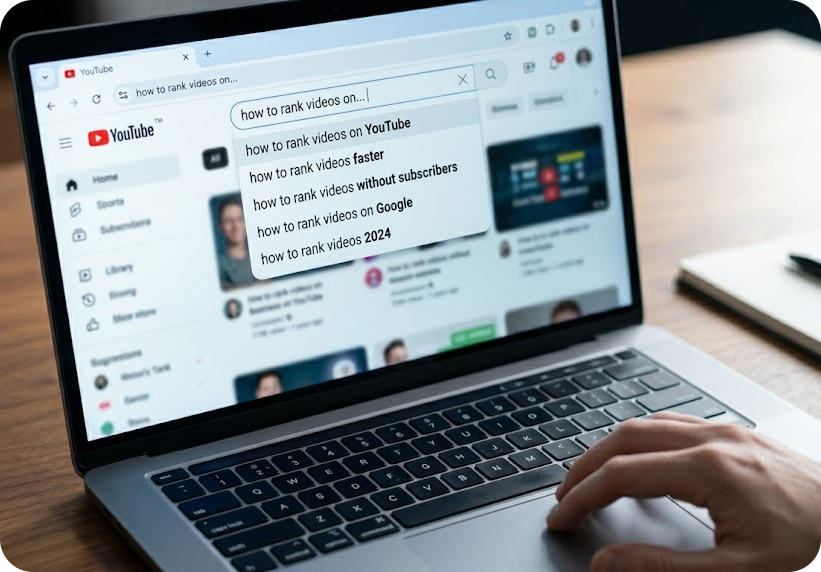
Use YouTube's search autocomplete to surface what people are actually typing. Tools like Google Keyword Planner, TubeBuddy, or VidIQ provide monthly search volume and keyword difficulty scores.
Target keywords with specific, clear intent. "How to use video SEO for health tech startups" will outrank "video marketing tips" because it is specific, lower competition, and attracts higher-intent viewers who are more likely to convert.
Long-tail video keywords (4+ words) consistently outperform short, competitive terms for channels without established authority. Start narrow and build up.
Step 2: Optimize Title, Description, and Tags
Once you have your keyword, it must appear in three core fields:
Title:
Lead with the keyword. Keep it under 60 characters to avoid truncation in search results. Write for humans first, algorithms second. A title that earns the click will always outperform one that only satisfies a crawler.
Description:
Write a minimum of 150 words. Place your primary keyword in the first two sentences. Distribute 2-3 semantically related terms naturally throughout. YouTube's algorithm reads descriptions to understand context.
Tags:
Add 5-10 tags starting with your exact keyword, followed by broader category terms. Tags are a secondary signal, but they still contribute to how YouTube categorizes your content across related searches.
Step 3: Use Chapters and Timestamps
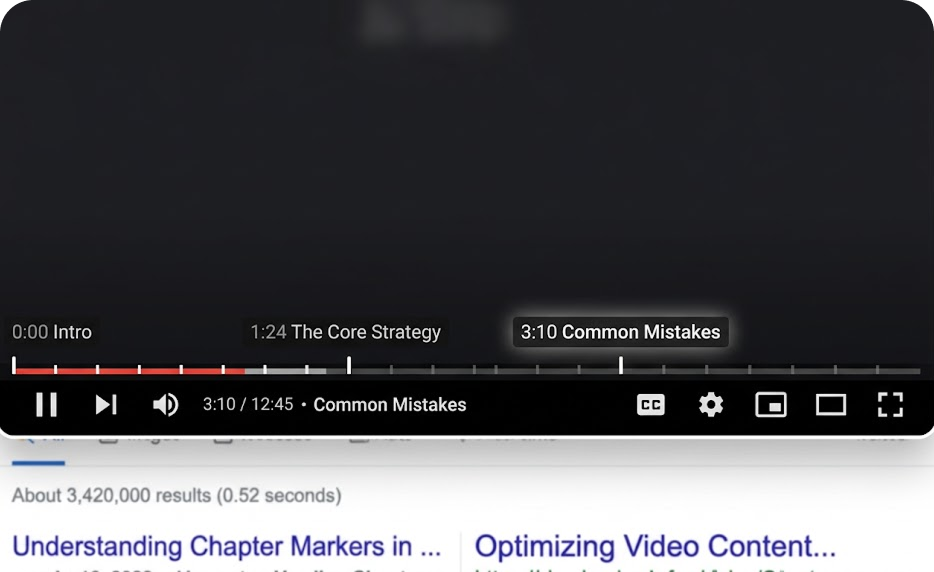
YouTube's algorithm heavily weights watch time and audience retention. Chapters help viewers jump to the sections most relevant to them, which increases average view duration rather than causing early drop-off.
Chapters also generate structured rich results in Google search. When someone searches a specific question, Google can surface the exact chapter that answers it, not just the video itself. This dramatically increases click-through rate from standard search.
Format example: 0:00 Intro / 1:24 The Core Strategy / 3:10 Common Mistakes
Step 4: Build a Dedicated Landing Page for Every Video
This is the step most founders skip entirely, and it is the one with the highest SEO leverage.
Embedding your video on a dedicated blog post or landing page sends strong indexing signals to Google. Google cannot watch your video. It reads the page surrounding it. A page with a transcript, key takeaways, and related links gives Google text to crawl, index, and rank.
Internal links from existing content on your site to that landing page push it further up in organic rankings. We consistently recommend pairing every video with a written companion page. It doubles the ranking surface area from a single piece of content.
For a detailed breakdown of turning one video into multiple content assets, see our guide on how to repurpose one video into 15+ content assets.
Step 5: Add VideoObject Schema Markup
Schema markup is structured code that tells Google the precise details of your video: title, description, thumbnail URL, upload date, and duration. Without it, Google guesses.
Adding VideoObject schema to your landing page makes your video eligible for rich results in Google search. Rich results display your thumbnail directly in the SERP, which increases click-through rates by making your result visually distinct from standard text links.
According to Google's structured data documentation, VideoObject schema is one of the most direct ways to qualify for enhanced video search features. On Webflow or WordPress, schema implementation does not require custom code.
Step 6: Thumbnails Drive CTR, CTR Drives Rankings
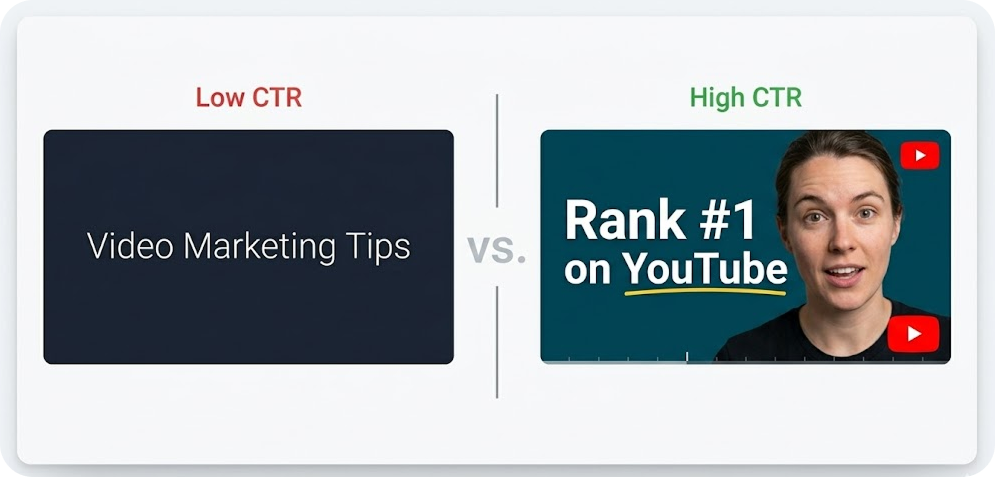
YouTube weights click-through rate as a primary ranking signal. More clicks signal relevance to the algorithm. More relevance means higher rankings and broader distribution.
Your thumbnail functions as an ad for the video. High contrast, a clear focal point, and text that teases or completes the title consistently outperform generic graphics. Human faces outperform text-only designs in the majority of documented A/B tests because they trigger faster pattern recognition and emotional response.
Video SEO for AI Search: The Emerging Layer
Traditional Video SEO focuses on ranking in Google and YouTube search results. But in 2026, there is a second search layer that is becoming increasingly important for startup founders: AI search platforms.
When someone asks ChatGPT, Perplexity, or Google's AI Overview a question about a topic your video covers, the information those systems surface in their responses is drawn from indexed content across the web. Videos that have companion blog posts with clean, structured text, clear factual claims, and cited sources are the ones most likely to be referenced in AI-generated answers.
This has a practical implication for your video SEO workflow: every video you publish should be accompanied by a written companion page that is optimized for both traditional search and AI discoverability. That companion page should include a summary of the video's key points in plain, declarative sentences, at least one data point with a source citation, and a direct answer to the primary question the video addresses.
Pages that combine video content with clear, well-structured written text are indexed by both Google's standard crawler and by the AI systems that populate featured answers. A single video with a properly written companion page now has a realistic chance of appearing in Google search, YouTube search, and AI-generated search responses simultaneously.
That three-channel discoverability from a single production investment is what makes the video-plus-companion-page workflow the most leveraged move available to startup founders doing content marketing in 2026.
The Compound Effect of Video SEO
Video SEO is not a one-time optimization task. It is an asset-building system.
One optimized video can simultaneously rank on YouTube, appear in Google organic results, live on a dedicated landing page, and be repurposed into Reels or YouTube Shorts. That is four distinct traffic channels from a single production investment.
Founders who treat video as a content engine see compounding organic returns month over month. Those who treat it as a standalone social post see diminishing returns after the first seven days.
If your video content is not generating search traction, the strategy requires adjustment before the production does. Book a call with our team and we will audit your current video approach at no cost.

Frequently Asked Questions